
AI for GRC and ISMS: automate compliance work with agents
KaitoSec AI takes on the routine in your ISMS: mappings, drafts, summaries and the search for missing evidence. Your team reviews and decides instead of spending hours writing and searching, and no change happens without a person approving it.


 5.0 out of 5
What KaitoSec AI takes on
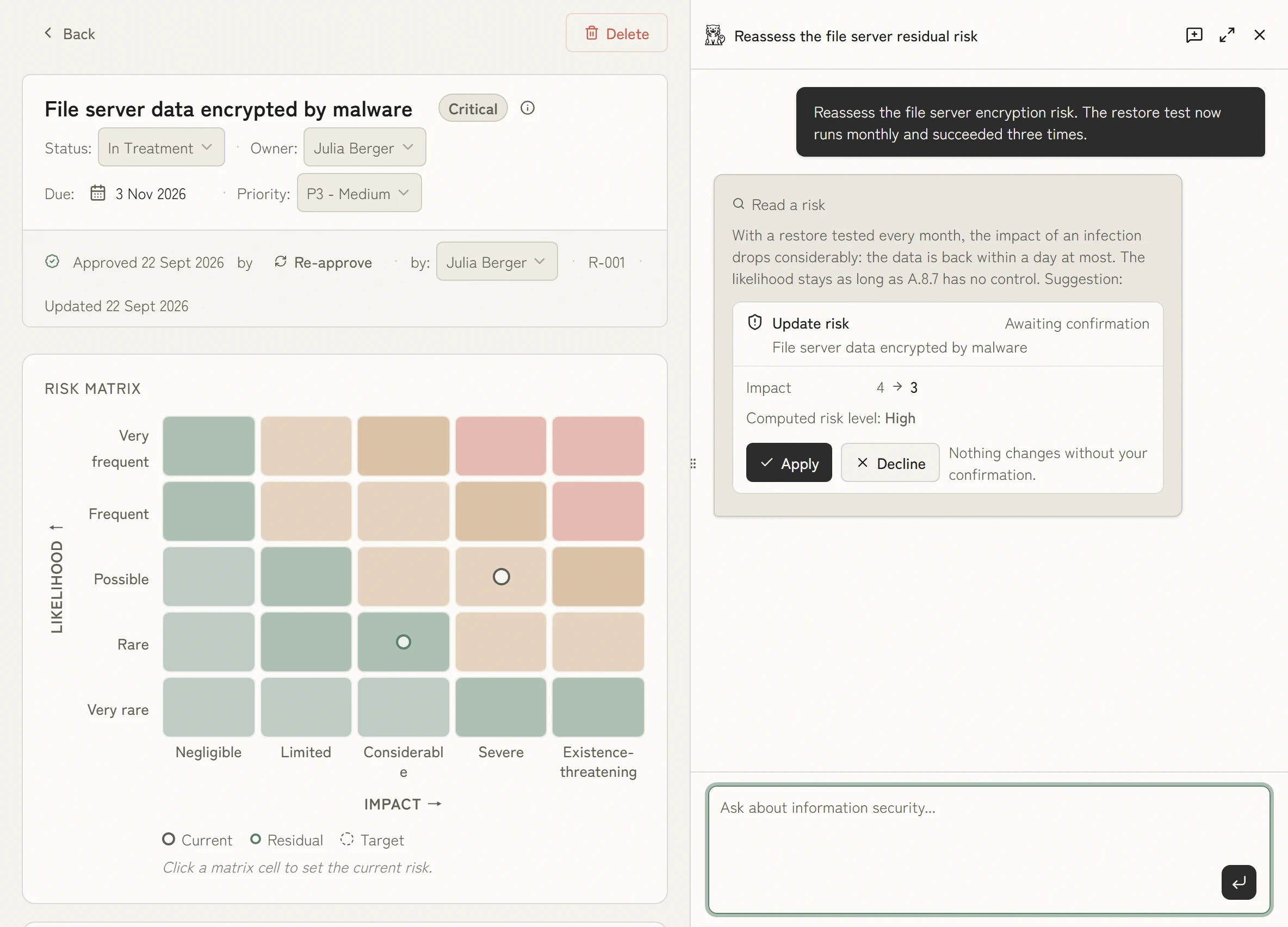
KaitoSec AI works right on the record. When something changes, a backup that has now been tested for example, it reassesses the risk and shows the change for you to confirm. Nobody has to update it by hand.
Derive policies and controls from requirements
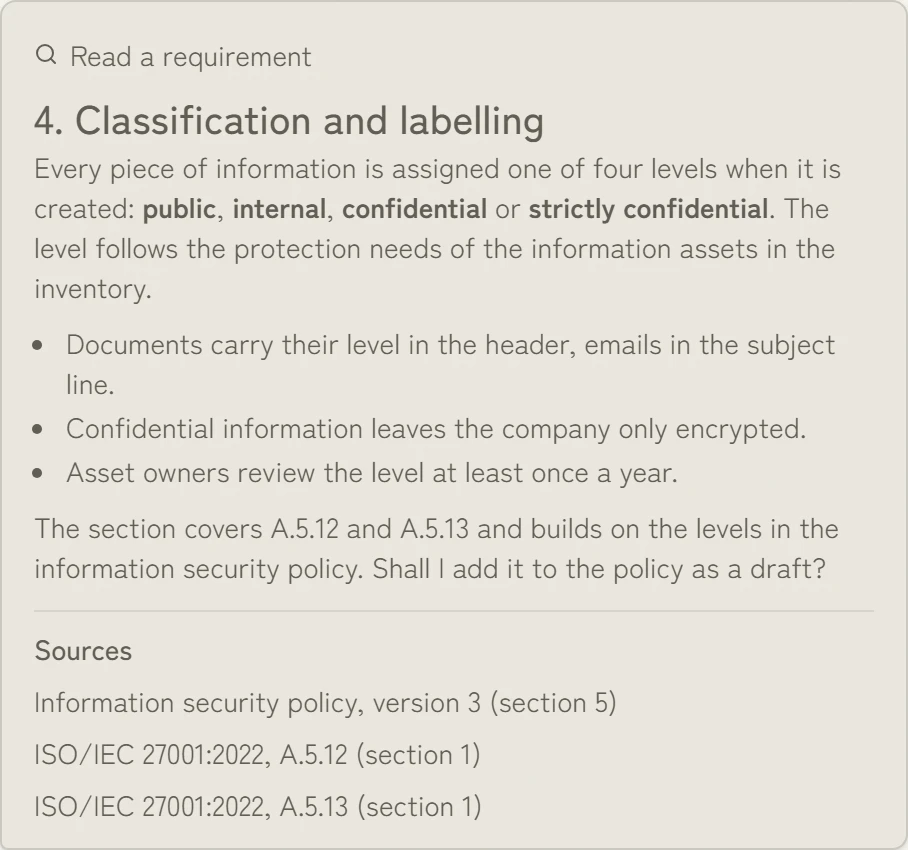
From the applicable requirements and your security policy, KaitoSec AI drafts the policy section, with its sources underneath. You start from a draft instead of a blank document and only check whether it fits.
Book a demo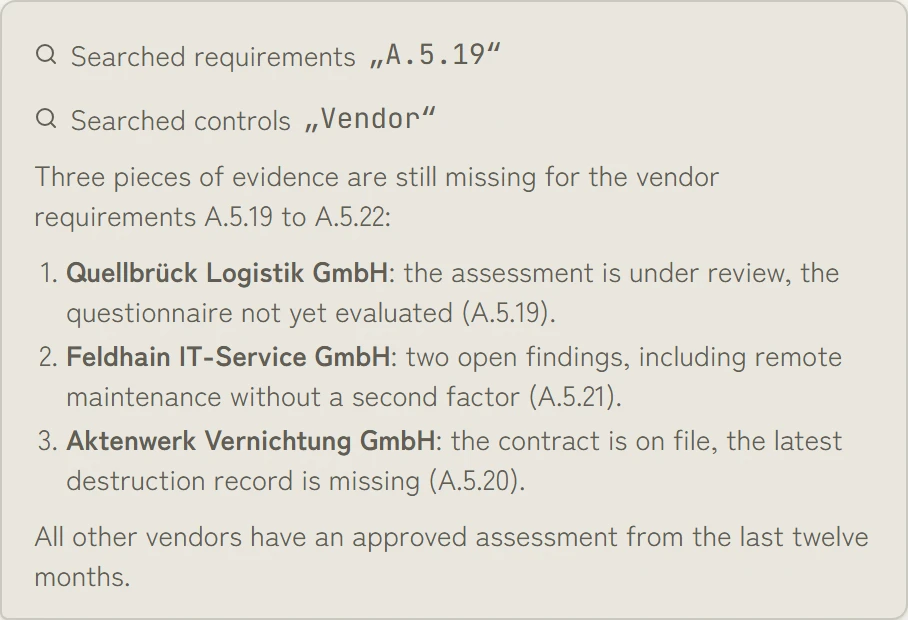
Assess risks and collect evidence
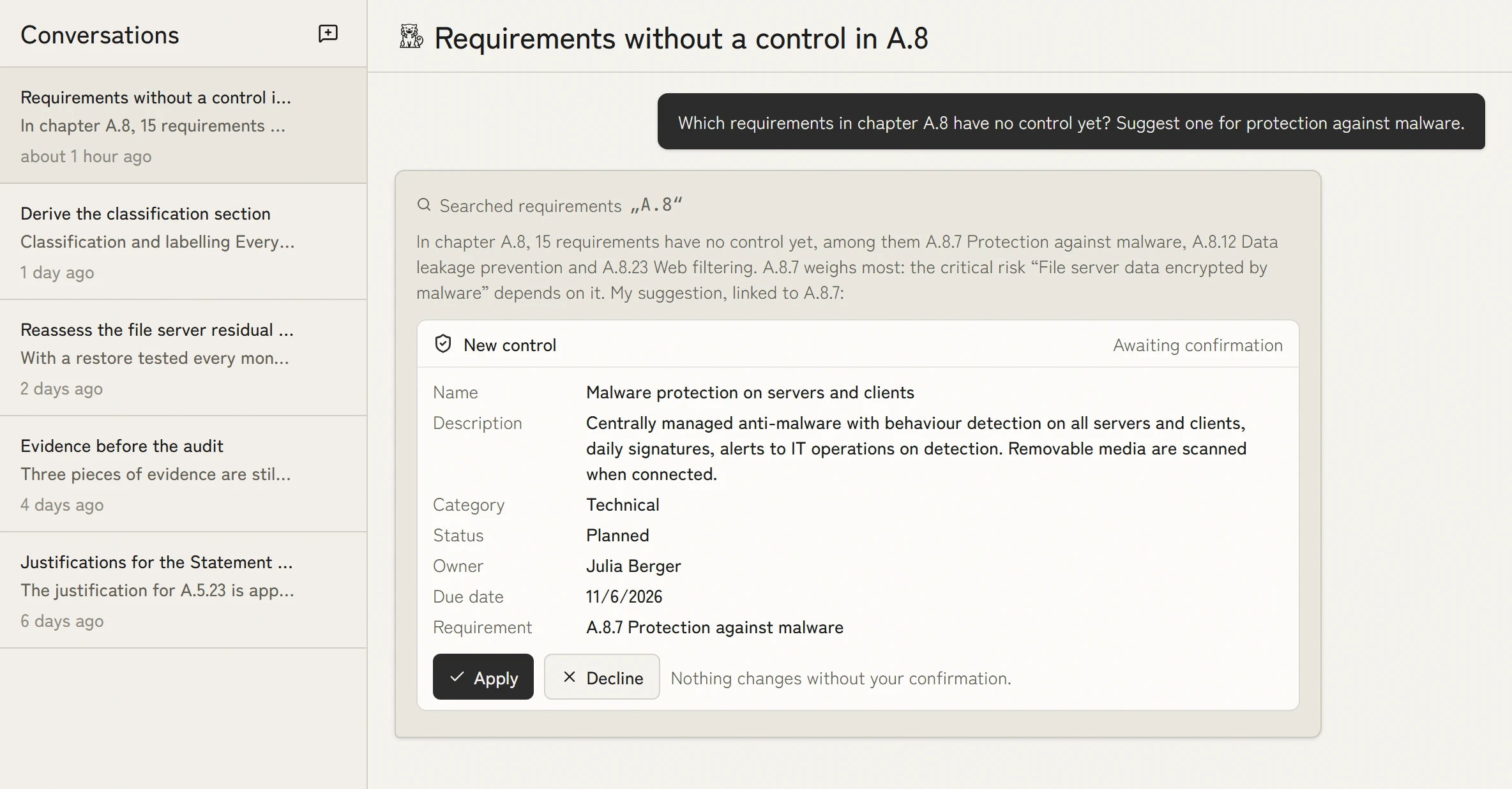
Before the audit, KaitoSec AI lists the evidence that is still missing, each item with its vendor and requirement. Nobody has to dig through folders to find the gaps.
Book a demo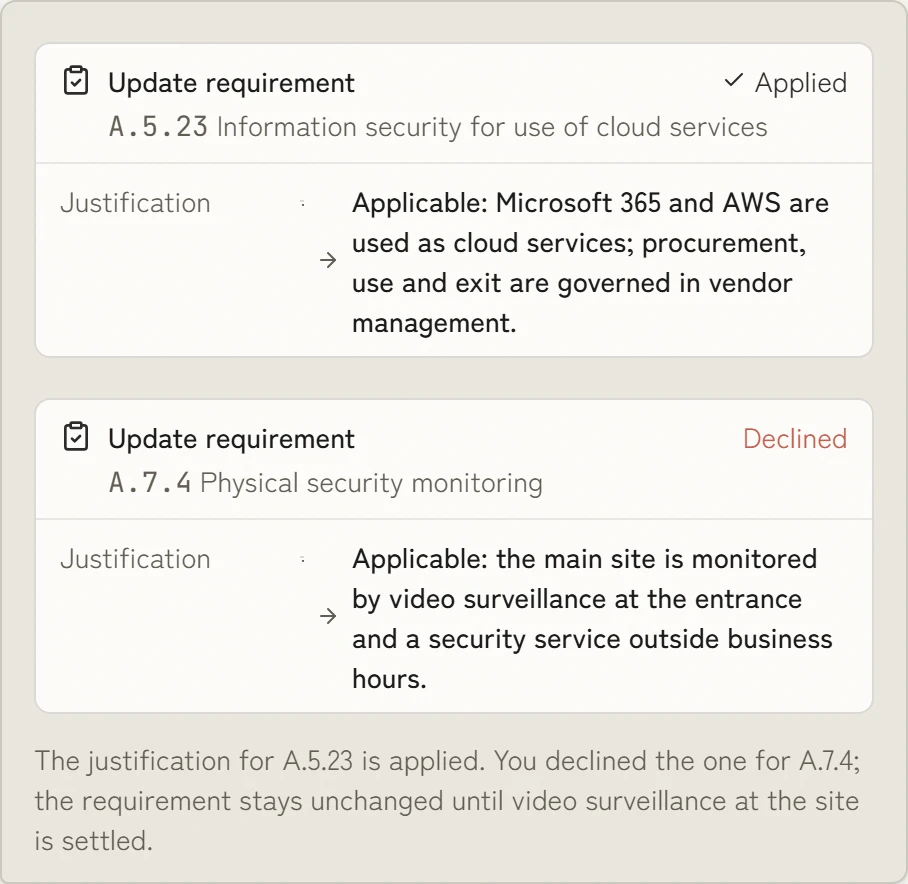
Traceability and human-in-the-loop control
Every suggestion comes with its reasoning. You accept it or decline it, and both are logged. Without approval, the AI changes nothing in the workspace.
Book a demoData protection and hosting in Germany
KaitoSec is developed and hosted in Germany. AI use remains bounded by documented data sources, configured infrastructure and human approval for workspace changes.
AI management under ISO 42001 and the EU AI Act
Use the same traceable records for your AI inventory, risk work and governance under ISO 42001 and the EU AI Act.
- pre-mapped controls
- 100+100+
- of evidence created as the work is done
- 100 %100 %
- faster than manual work
- 10×10×
- management systems, one data model
- 4 in 14 in 1
What KaitoSec also does
These sit in the core of the platform and apply to every module.
Implemented once, done for every requirement.
More than 100 controls are already mapped to ISO 27001, NIS2, DORA and other requirements. You implement a control once and evidence it once. Every further requirement it covers costs no extra work.
You review and approve instead of filling empty fields.
Agents prepare the risk analysis, the statement of applicability and actions from audit reports. Every result is ready for approval. A person still makes the decision.
Nothing left to collect before the audit.
Evidence is created as the work gets done: a tested backup supplies its recovery time, a completed review its result. Your evidence is current every day, not just in the week before the audit.
Use AI without prior knowledge.
The AI prepares risk analysis, statement of applicability and controls as drafts. Your team does not need to know how to build these from scratch: it reviews the proposal, adjusts it and approves. A person still decides, and every step stays traceable.
You maintain each process only once.
Information security, business continuity management, data protection, AI governance and supplier management all work from the same process data. Every change takes effect in every system at once. Duplicate entry and conflicting registers go away.

Ask Chris how this would work for you.
Co-founder and CEO of KaitoSec. He walks through your case with you, live in the product.
Book a demo
The data for your day-to-day compliance is already there.
100+ integrations
All integrations











FAQ
How does AI help build an ISMS?
AI agents in KaitoSec import existing registers and documents, check them against the methodology (for example, the six phases of BSI IT-Grundschutz), identify gaps and turn them into tasks with an owner and due date.
Does AI make decisions in the compliance process?
No. AI agents prepare the work; people decide. Every suggestion remains under human oversight, is reasoned and traceable, and only takes effect after approval. See ISO 42001 for the governance model.
Is using AI in the ISMS GDPR-compliant?
AI use in KaitoSec is GDPR-compliant: hosting remains in Germany, customer data is not used for model training and the agent retains the user's permissions. Details are available under Integrations.
Can our own AI assistants access KaitoSec?
Yes. Your own AI assistants can access KaitoSec through the MCP server and documented API. They read and write registers, risks and evidence directly instead of parsing PDF exports, using least-privilege scopes.
Which tasks do the KaitoSec agents take on?
KaitoSec agents handle data import and mapping, completeness checks, suggestions for risk assessments, deriving controls from requirements, collecting and assigning evidence, and preparing audit responses.

Less work in your day-to-day compliance.
One recurring task is enough. In thirty minutes you see how the AI in KaitoSec prepares it and where a person approves.