Reporting: no more slide-building before the management meeting.
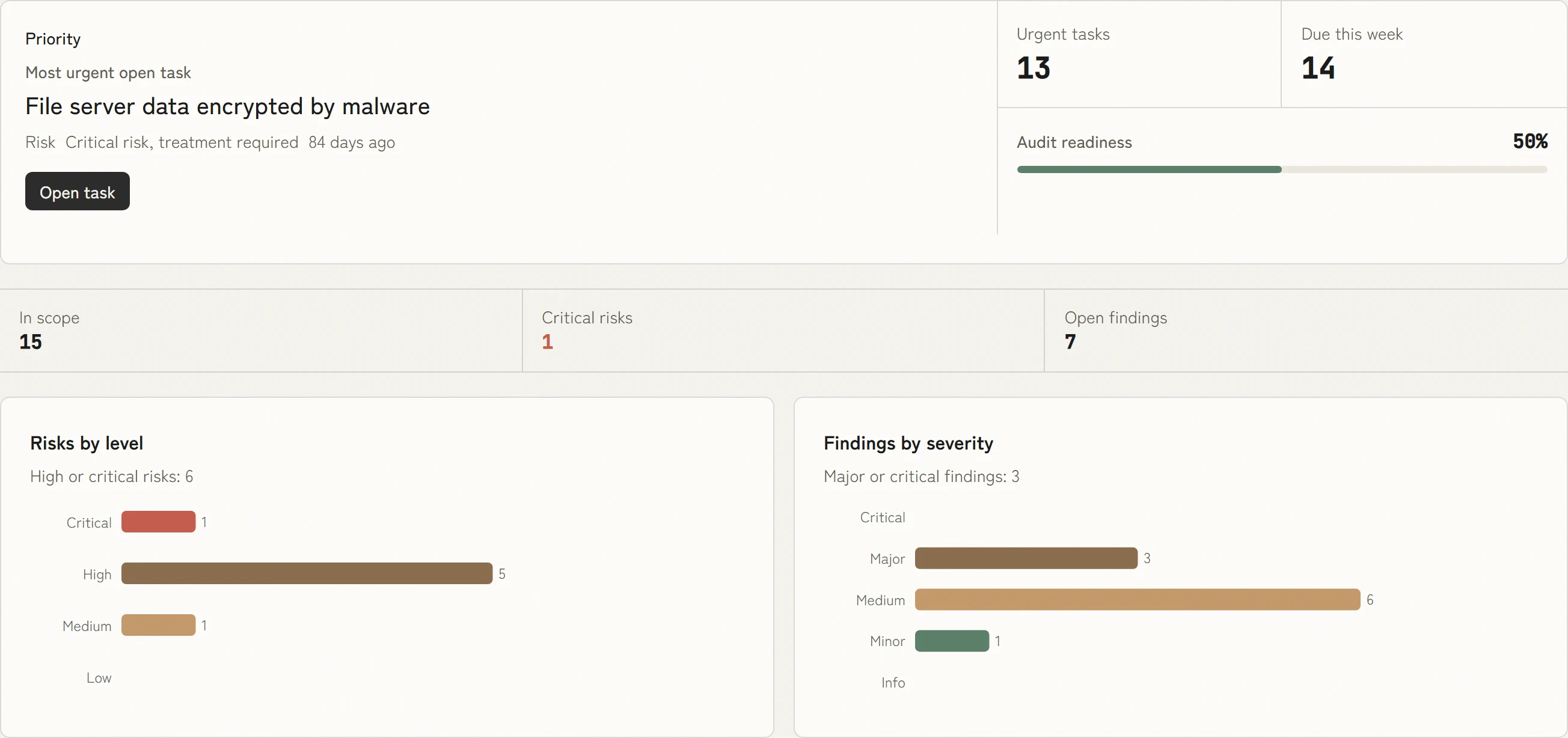
KaitoSec calculates audit readiness, risks, findings and KPIs live from your data. Leadership, security and audit each see their view, and nobody adds up numbers by hand.



 5.0 out of 5
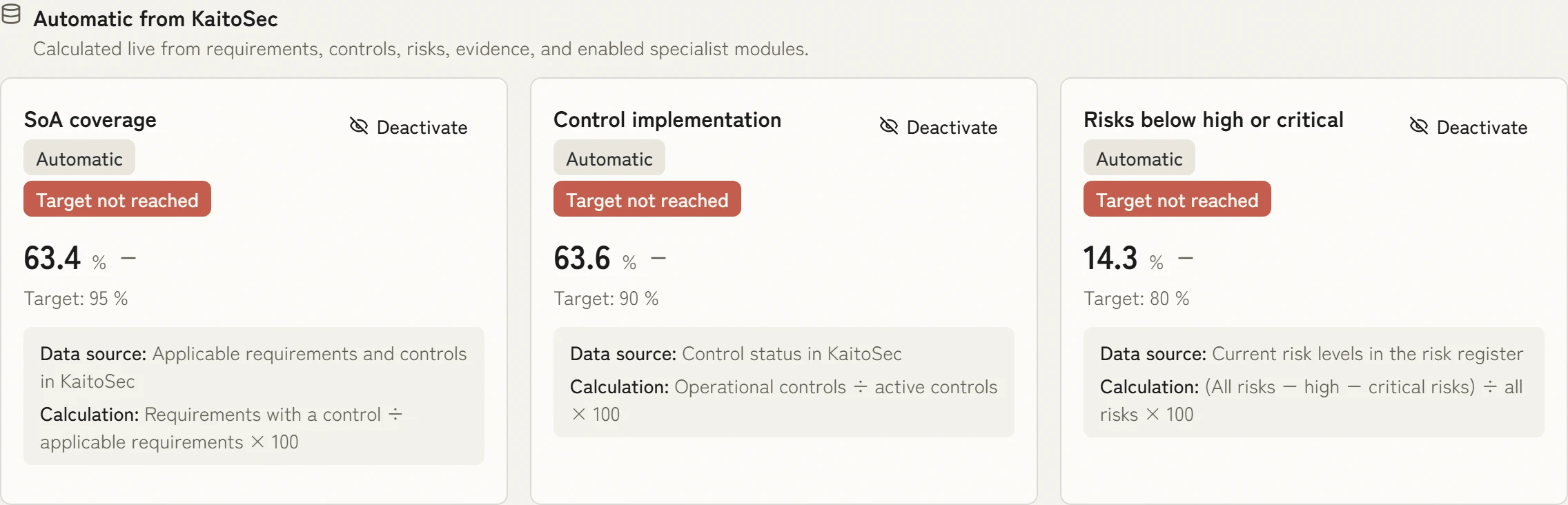
KPIs that calculate themselves
SoA coverage, control implementation or the share of high risks: every KPI has a target, a data source and a calculation and updates with your data.
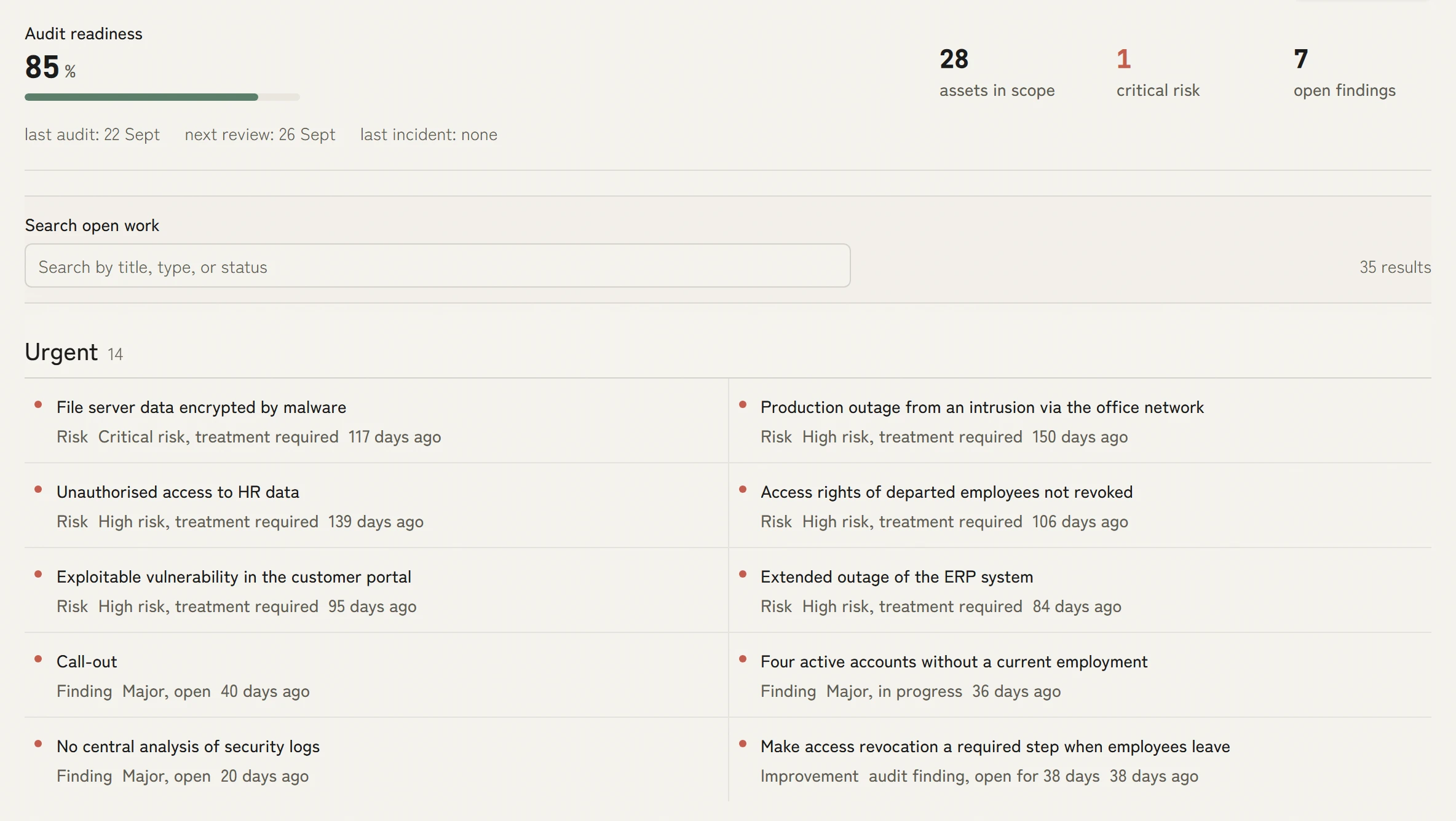
What comes first sits on top
The work list shows audit readiness and underneath the most urgent tasks from risks, findings and improvements, with their age. Your team works where the next audit needs it.
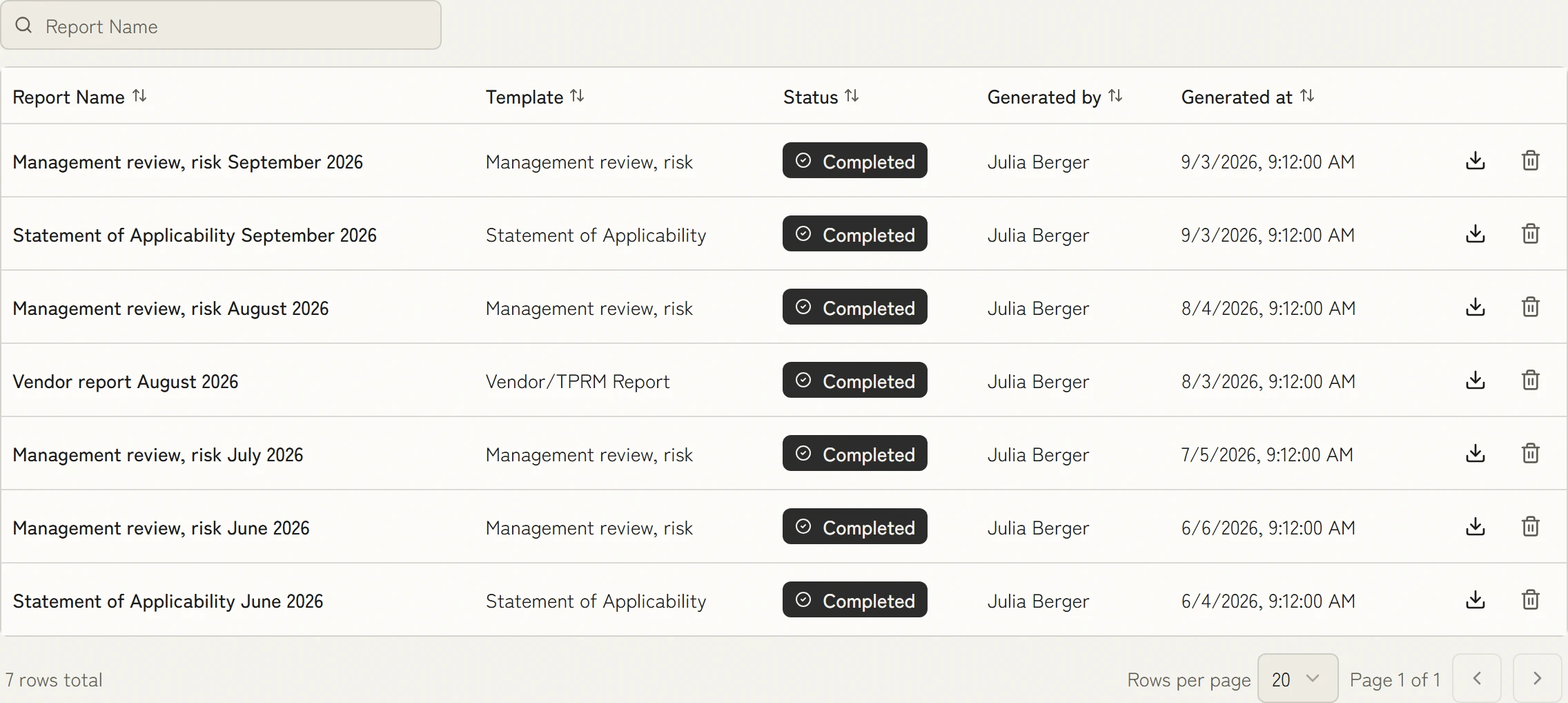
Every report stays traceable
Management reviews, statements of applicability and vendor reports come from the current state and stay saved with author and time. Later it is clear what was shared when.
- pre-mapped controls
- 100+100+
- of evidence created as the work is done
- 100 %100 %
- faster than manual work
- 10×10×
- management systems, one data model
- 4 in 14 in 1
What KaitoSec also does
These sit in the core of the platform and apply to every module.
Implemented once, done for every requirement.
More than 100 controls are already mapped to ISO 27001, NIS2, DORA and other requirements. You implement a control once and evidence it once. Every further requirement it covers costs no extra work.
You review and approve instead of filling empty fields.
Agents prepare the risk analysis, the statement of applicability and actions from audit reports. Every result is ready for approval. A person still makes the decision.
Nothing left to collect before the audit.
Evidence is created as the work gets done: a tested backup supplies its recovery time, a completed review its result. Your evidence is current every day, not just in the week before the audit.
Audit readiness without prior knowledge.
In simple mode your team sees what the audit still needs and what comes first. Anyone who needs more detail switches to expert mode and sees the same data with audit programme and findings.
You maintain each process only once.
Information security, business continuity management, data protection, AI governance and supplier management all work from the same process data. Every change takes effect in every system at once. Duplicate entry and conflicting registers go away.

Ask Chris how this would work for you.
Co-founder and CEO of KaitoSec. He walks through your case with you, live in the product.
Book a demo
The data for your reporting is already there.
100+ integrations
All integrations







FAQ
Can we share reports with stakeholders who do not have a KaitoSec account?
Yes. Read-only report sharing works via secure link. A live dashboard or a point-in-time PDF can be shared with board members, auditors, customers or regulators without granting platform access.
How are audit evidence packages created?
Every control, BC plan, exercise, vendor record and AI system can carry linked documents, screenshots and activity logs. The evidence package builder brings approved content together by framework clause and management system in a structured PDF.
Are SOC 2 Trust Services Criteria covered in the reports?
Yes. SOC 2 reports map to the Trust Services Criteria (Security, Availability, Confidentiality, Processing Integrity, Privacy). Each criterion shows implementation status, evidence attachments and owner assignments.
Can reports carry our company branding?
Yes. PDF exports include your logo, colour scheme and report header. On request, reports carry your own branding throughout, including for customers and the board.

Less work in your reporting.
One report you build regularly is enough. In thirty minutes you see how KaitoSec produces it from the current state.