
Threat Intelligence: from the catalogue to the risk register in one click.
BSI threats, MITRE ATT&CK and CWE sit in one search. You take an entry over as a risk or exercise scenario and save yourself copying from PDFs and spreadsheets.



 5.0 out of 5
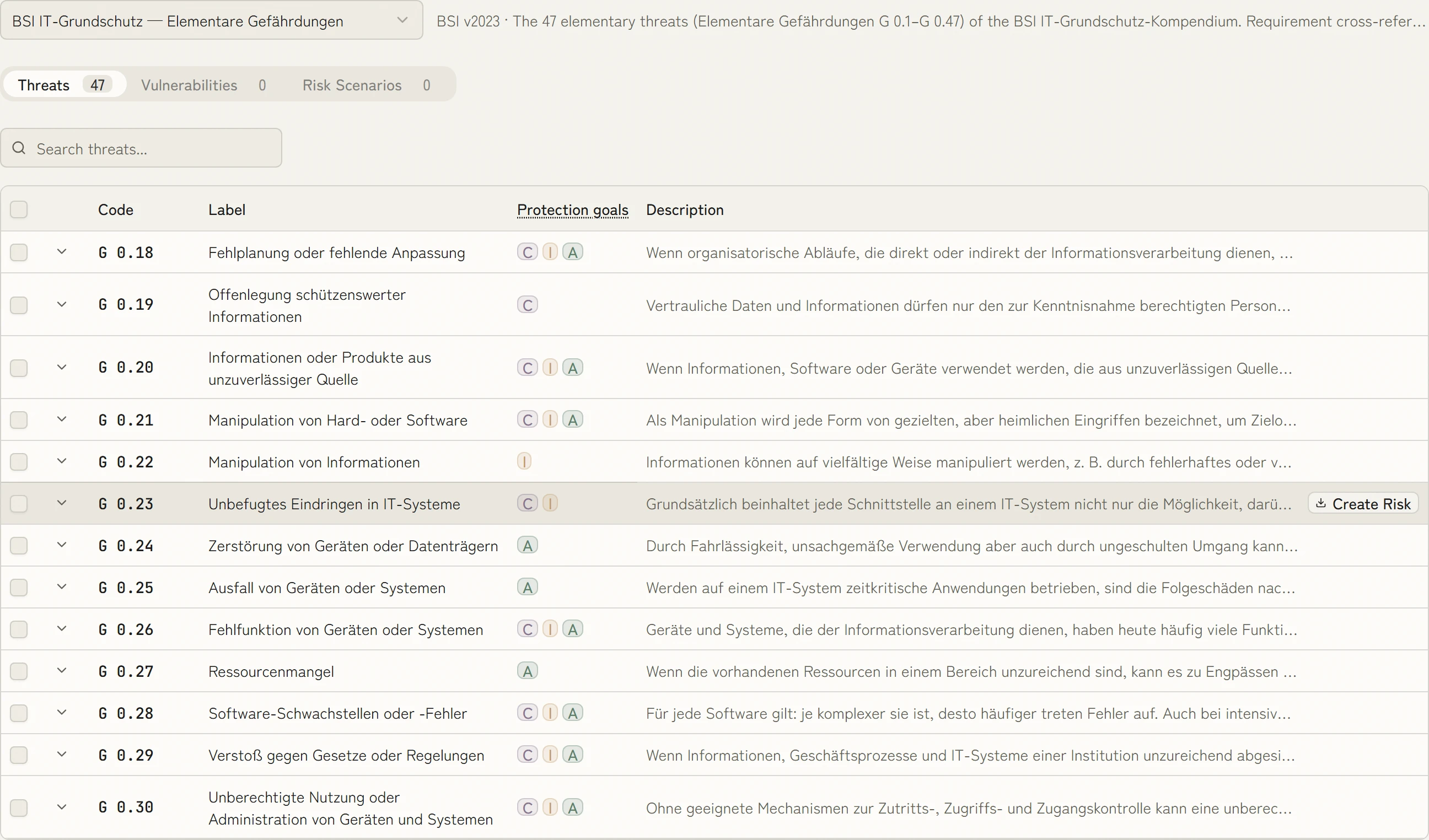
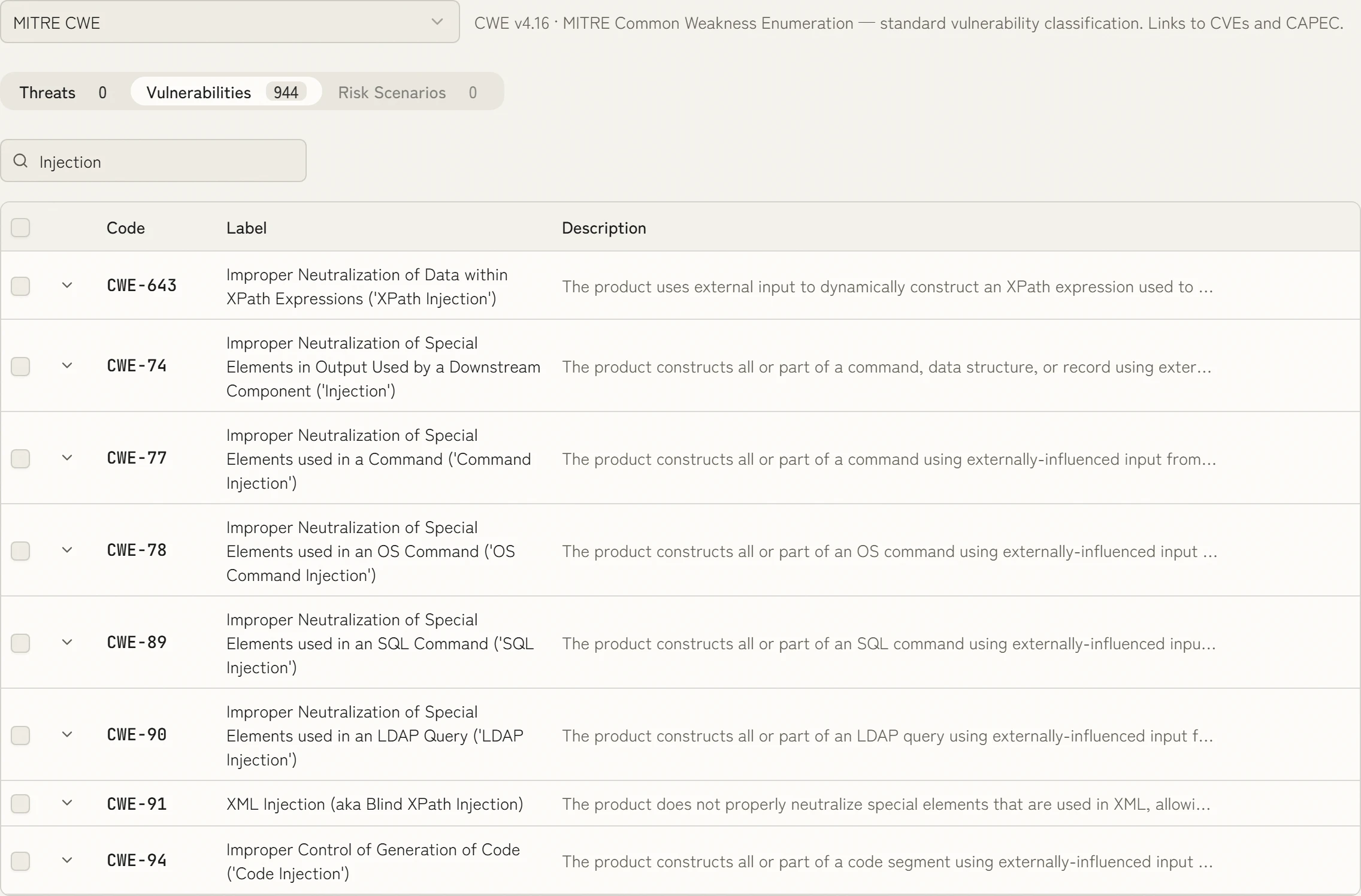
Every catalogue in one search
You search BSI threats, MITRE ATT&CK and CWE from the same interface, for “injection” for example. Every hit goes into your risk register or your exercise in one click.

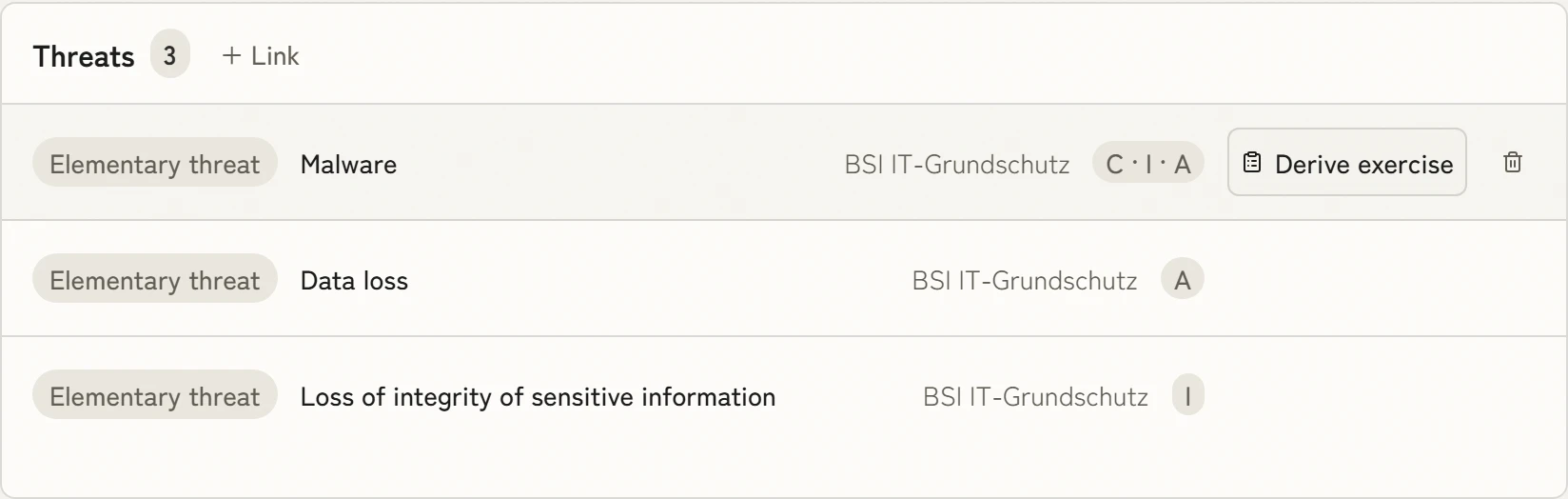
A risk becomes an exercise
The threats sit on the risk. From there you derive an exercise scenario for business continuity in one click, and security and continuity work from the same source.
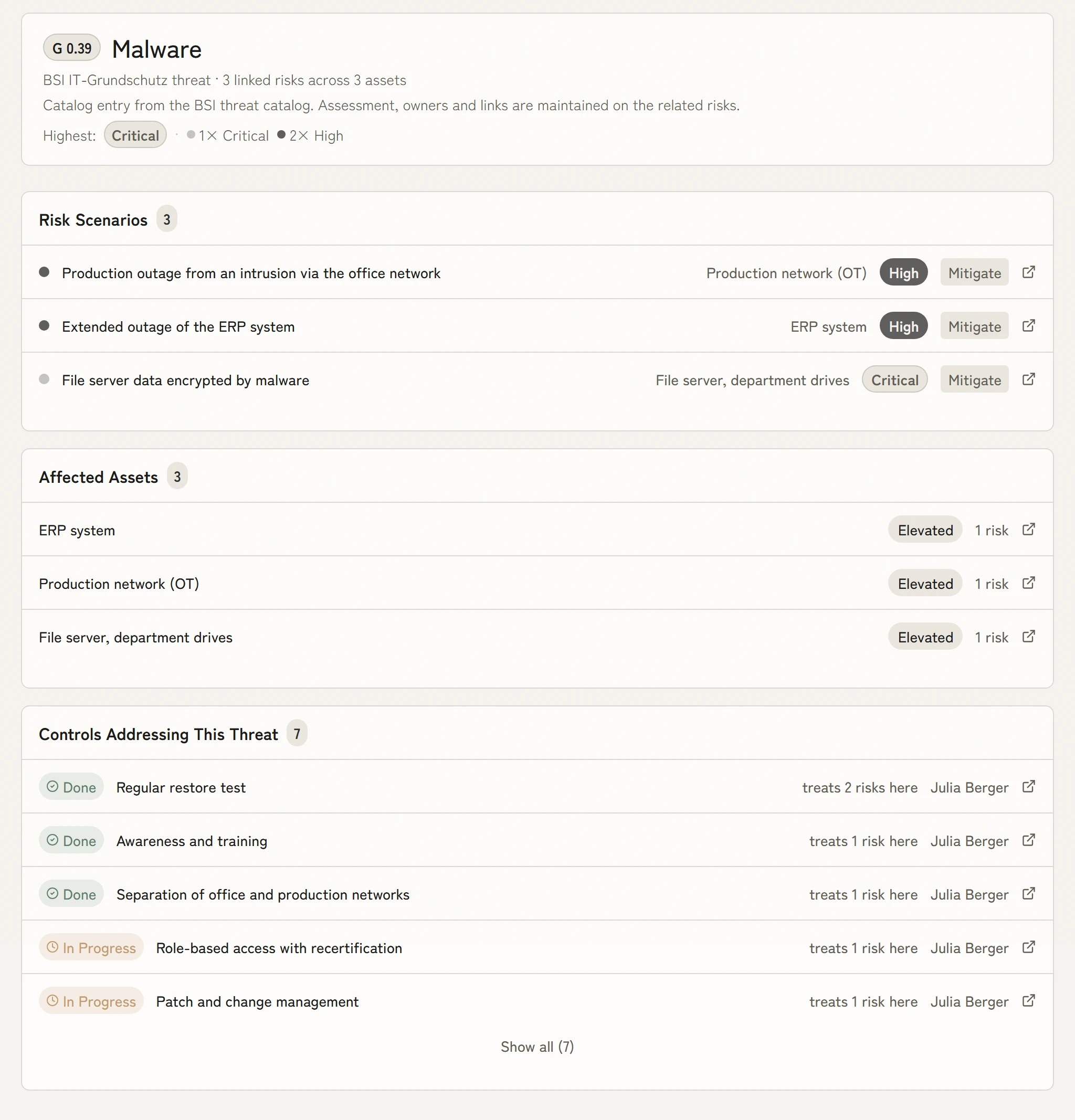
Book a demoEvery threat with everything attached to it
For each threat you see the risks, the affected assets and the controls that treat them. Gaps in the treatment show up before the auditor asks.
- pre-mapped controls
- 100+100+
- of evidence created as the work is done
- 100 %100 %
- faster than manual work
- 10×10×
- management systems, one data model
- 4 in 14 in 1
What KaitoSec also does
These sit in the core of the platform and apply to every module.
Implemented once, done for every requirement.
More than 100 controls are already mapped to ISO 27001, NIS2, DORA and other requirements. You implement a control once and evidence it once. Every further requirement it covers costs no extra work.
You review and approve instead of filling empty fields.
Agents prepare the risk analysis, the statement of applicability and actions from audit reports. Every result is ready for approval. A person still makes the decision.
Nothing left to collect before the audit.
Evidence is created as the work gets done: a tested backup supplies its recovery time, a completed review its result. Your evidence is current every day, not just in the week before the audit.
Assess threats without prior knowledge.
You do not start from an empty list: BSI threats, MITRE ATT&CK and CWE are already there, each entry with a description and its source. You take a hit into the register as a risk in one click and add only what concerns your operation. The help panel explains the terms in plain words.
You maintain each process only once.
Information security, business continuity management, data protection, AI governance and supplier management all work from the same process data. Every change takes effect in every system at once. Duplicate entry and conflicting registers go away.

Ask Chris how this would work for you.
Co-founder and CEO of KaitoSec. He walks through your case with you, live in the product.
Book a demo
The data for your threat intelligence is already there.
100+ integrations
All integrations













FAQ
How often are the threat catalogues updated?
KaitoSec adopts published versions of upstream sources as part of product updates and shows the source and version. An assessment therefore remains traceable to the catalogue state it used.
Can we add custom threat entries?
Yes. Workspace-specific threats can be created and linked to catalogue entries for reference. Custom threats appear alongside the built-in catalogues and can be used in risk scenarios, gap analyses and BC exercise design.
How does MITRE ATT&CK integration support compliance work?
ATT&CK techniques are mapped to ISO 27001 controls and NIS2 security measures. When an ATT&CK-based scenario is added, KaitoSec suggests the controls most likely to mitigate the technique and flags continuity dependencies that may need rehearsal.
Is OWASP Top 10 included for development teams?
Yes. OWASP Top 10 is included as a built-in catalogue and can be linked to software assets and development processes. It is particularly useful for SOC 2 and ISO 27001 work and for AI system due diligence under ISO 42001.

Less work in your threat intelligence.
One threat that concerns you is enough. In thirty minutes you see how KaitoSec turns it into an assessed scenario with an asset and a control.