
Risk Management: the register is built from your data.
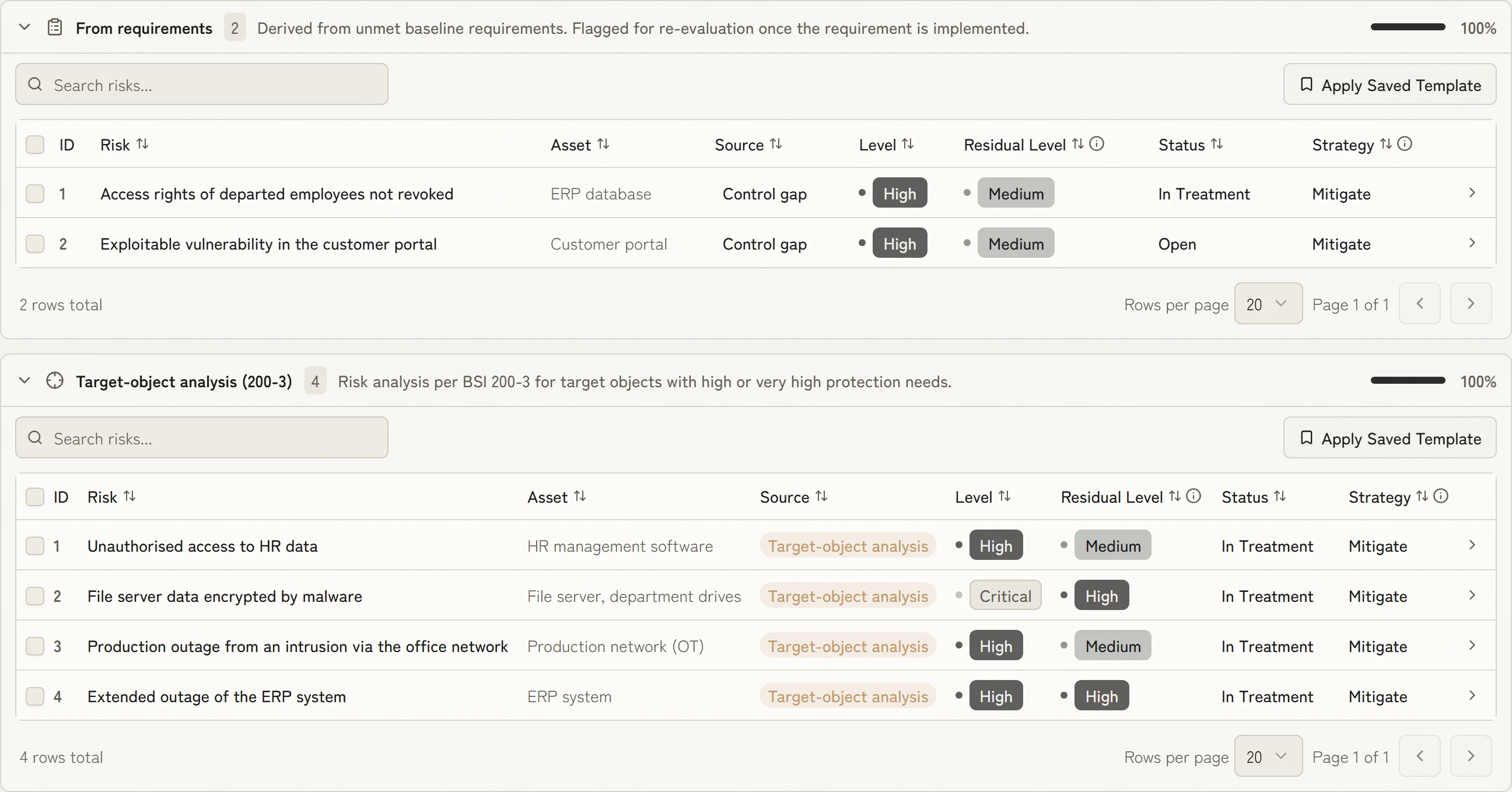
KaitoSec derives risks from open requirements and from assets with high protection needs and scores them in advance. You confirm, treat, and always see which risk comes first.


 5.0 out of 5
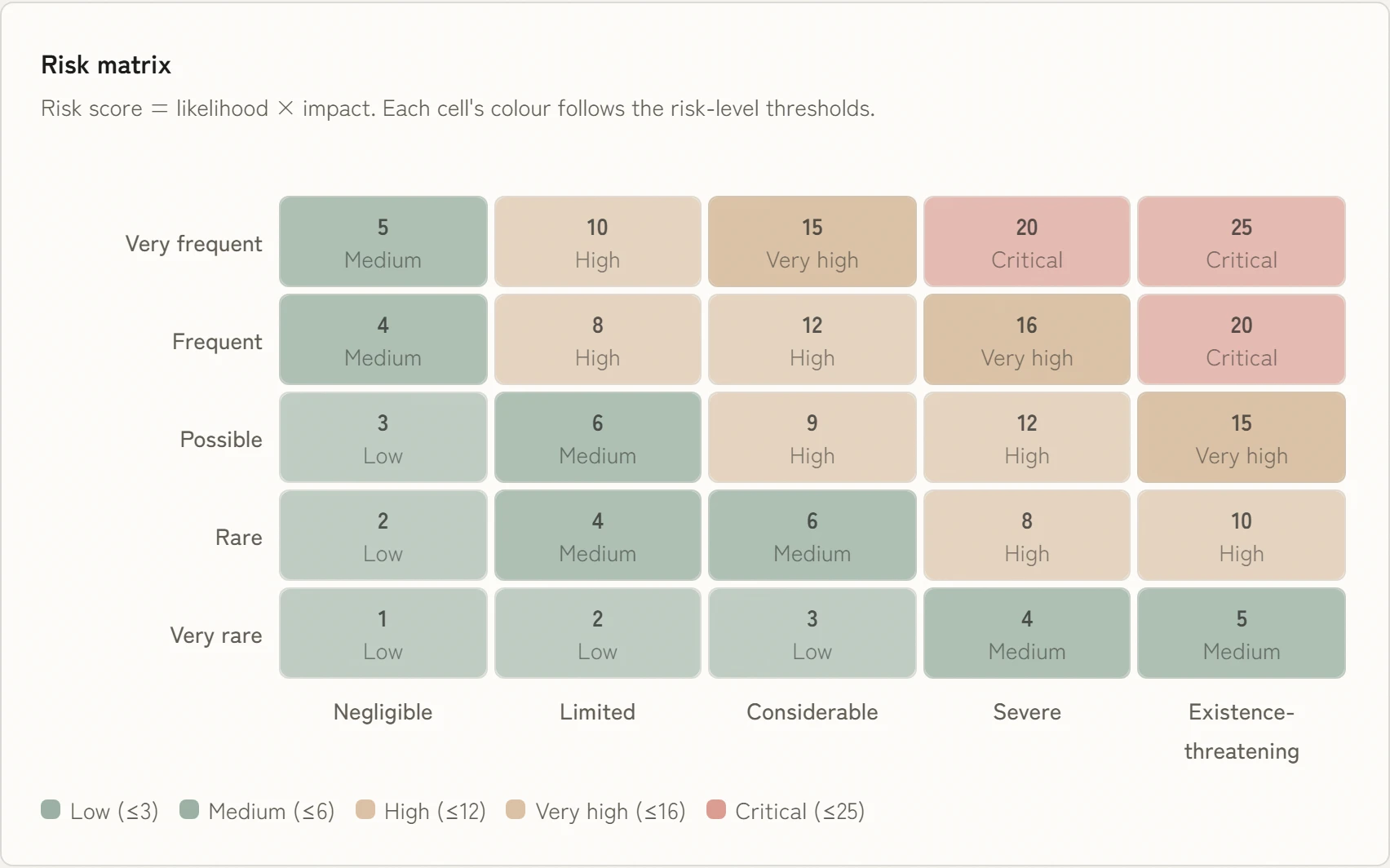 Inherent riskResidual risk
See at a glance where you need to act
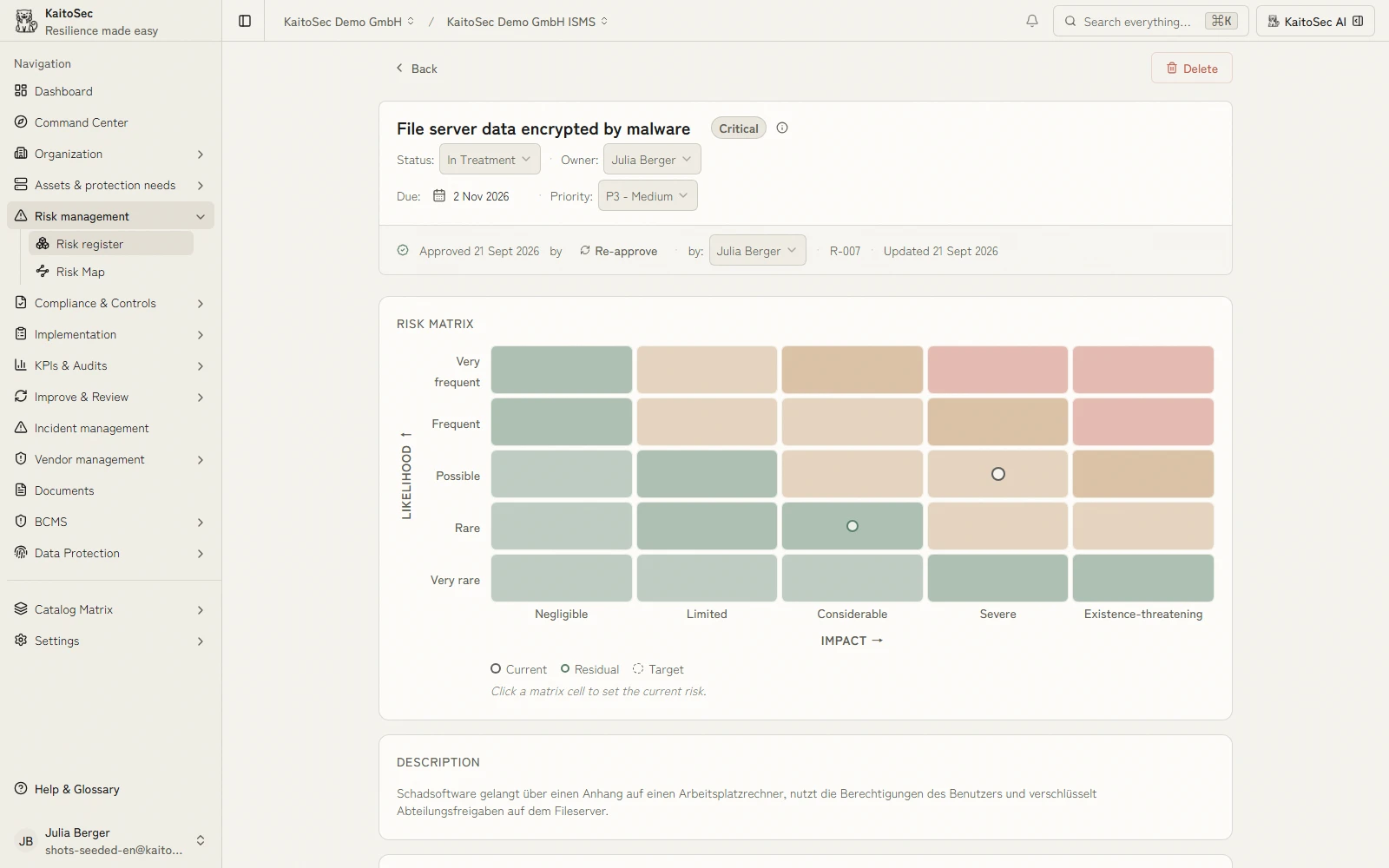
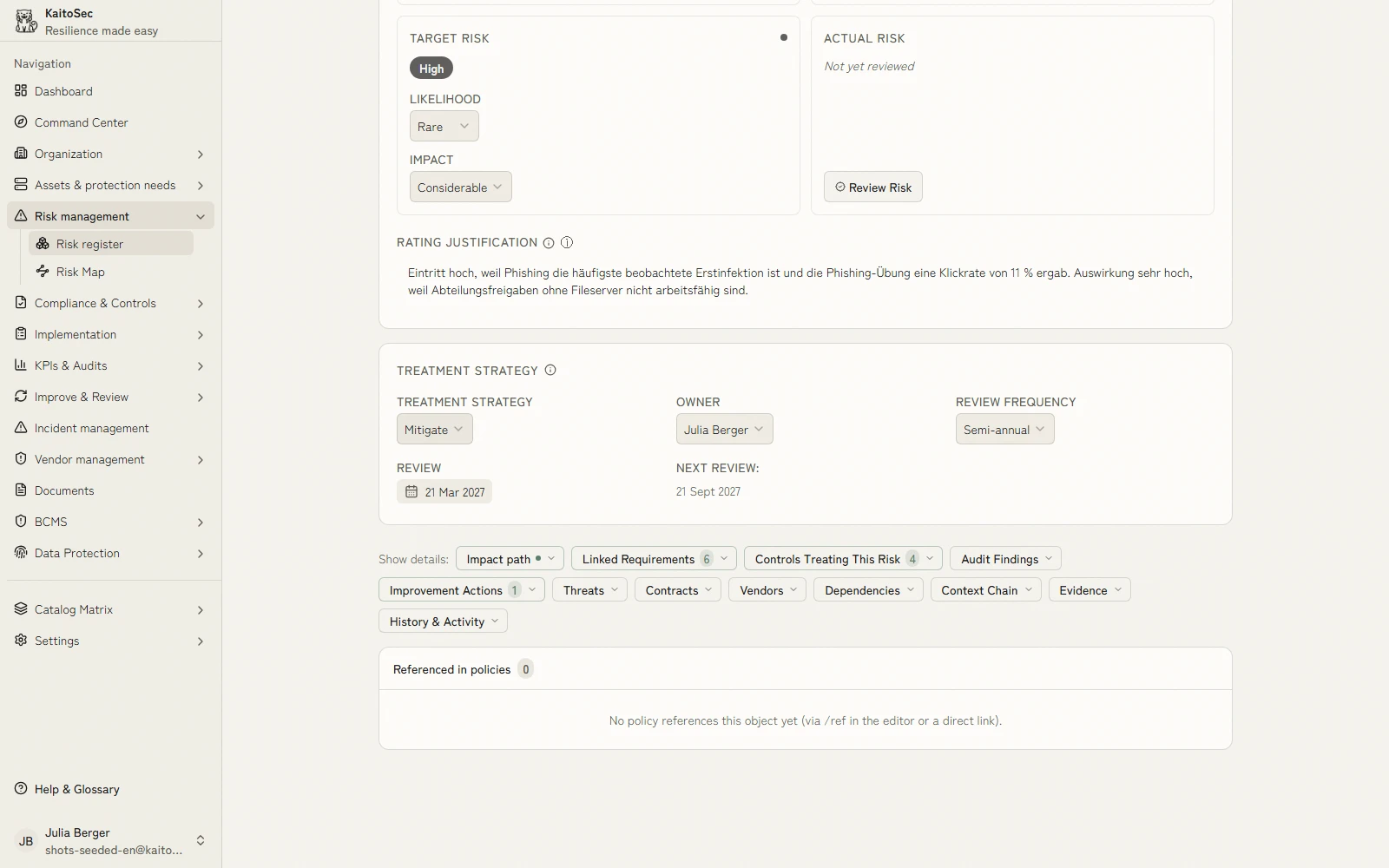
Likelihood and impact sit on a scale you adapt to your method. The matrix colours every risk by its level, and inherent and residual risk sit side by side with their rationale.
Book a demoEvery treatment has a name and a date
The assessment turns straight into a task with an owner, due date and approval, linked to controls, BIA, vendor review or AI governance. Nobody has to ask in the meeting who is on it.
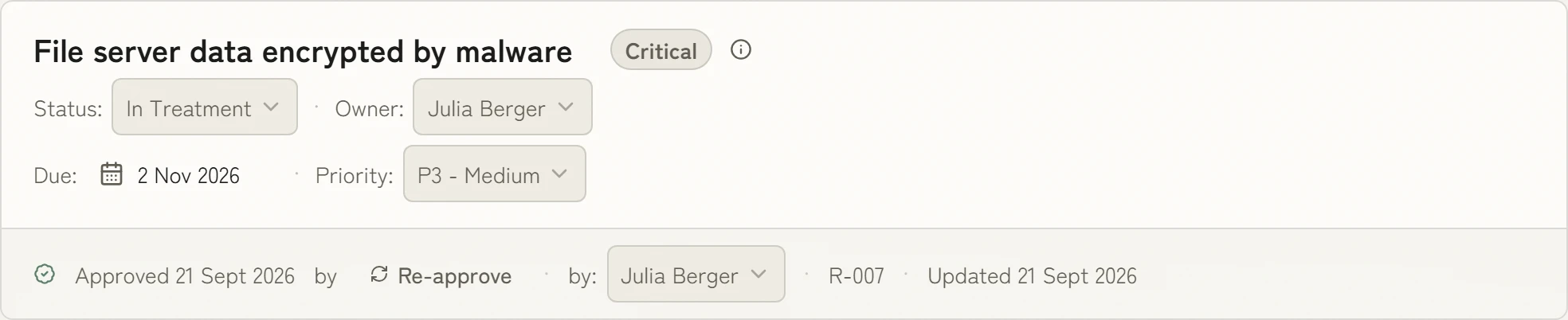
The next review is already set
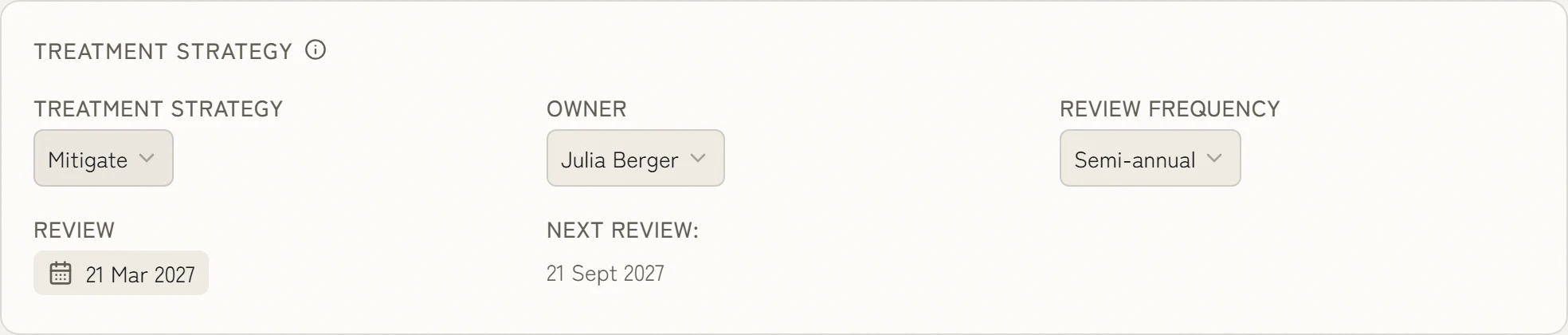
You set the review rhythm per risk or category, and KaitoSec calculates the next date from it. When a requirement linked to the risk is implemented, KaitoSec flags the risk for reassessment.
- pre-mapped controls
- 100+100+
- of evidence created as the work is done
- 100 %100 %
- faster than manual work
- 10×10×
- management systems, one data model
- 4 in 14 in 1
What KaitoSec also does
These sit in the core of the platform and apply to every module.
Implemented once, done for every requirement.
More than 100 controls are already mapped to ISO 27001, NIS2, DORA and other requirements. You implement a control once and evidence it once. Every further requirement it covers costs no extra work.
You review and approve instead of filling empty fields.
Agents prepare the risk analysis, the statement of applicability and actions from audit reports. Every result is ready for approval. A person still makes the decision.
Nothing left to collect before the audit.
Evidence is created as the work gets done: a tested backup supplies its recovery time, a completed review its result. Your evidence is current every day, not just in the week before the audit.
Risk management without prior knowledge.
Simple mode takes your team by the hand: review the risks, pick a treatment, assign controls. Every step says in plain words what to do and why. Anyone who needs more detail switches to expert mode and sees the same risks with method and residual risk.
You maintain each process only once.
Information security, business continuity management, data protection, AI governance and supplier management all work from the same process data. Every change takes effect in every system at once. Duplicate entry and conflicting registers go away.

Ask Chris how this would work for you.
Co-founder and CEO of KaitoSec. He walks through your case with you, live in the product.
Book a demo
The data for your risk management is already there.
100+ integrations
All integrations













FAQ
What is risk management in information security?
IT risk management identifies, assesses and treats risks to the confidentiality, integrity and availability of information. Its risk assessment methods follow ISO 27005 and BSI Standard 200-3 and connect directly to KaitoSec ISMS software.
How does a risk analysis according to BSI 200-3 work?
A BSI 200-3 risk analysis assesses and treats the elementary threats (G 0.x) affecting target objects with increased protection needs. KaitoSec automatically connects threats, modules and controls; see BSI IT-Grundschutz.
How are vendor risks recorded?
Vendor risks are recorded in KaitoSec in the same register as assets and processes, so they appear directly in the risk register. NIS2 and DORA require precisely this view; details are available under Vendor Management.
What is the difference between a risk register and a business impact analysis?
The risk register assesses likelihood and impact; the BIA determines recovery times for processes. Both use the same assets and processes, and KaitoSec feeds them from one register; see Business Continuity.
How is risk management reported to executive management?
Risk management is reported through a management view of top risks, open treatments and trends. In KaitoSec, Reporting is generated from current data, not from a separate slide deck.

Less work in your risk management.
One real risk from your register is enough. In thirty minutes you see how KaitoSec assesses it, treats it and gives it an owner.